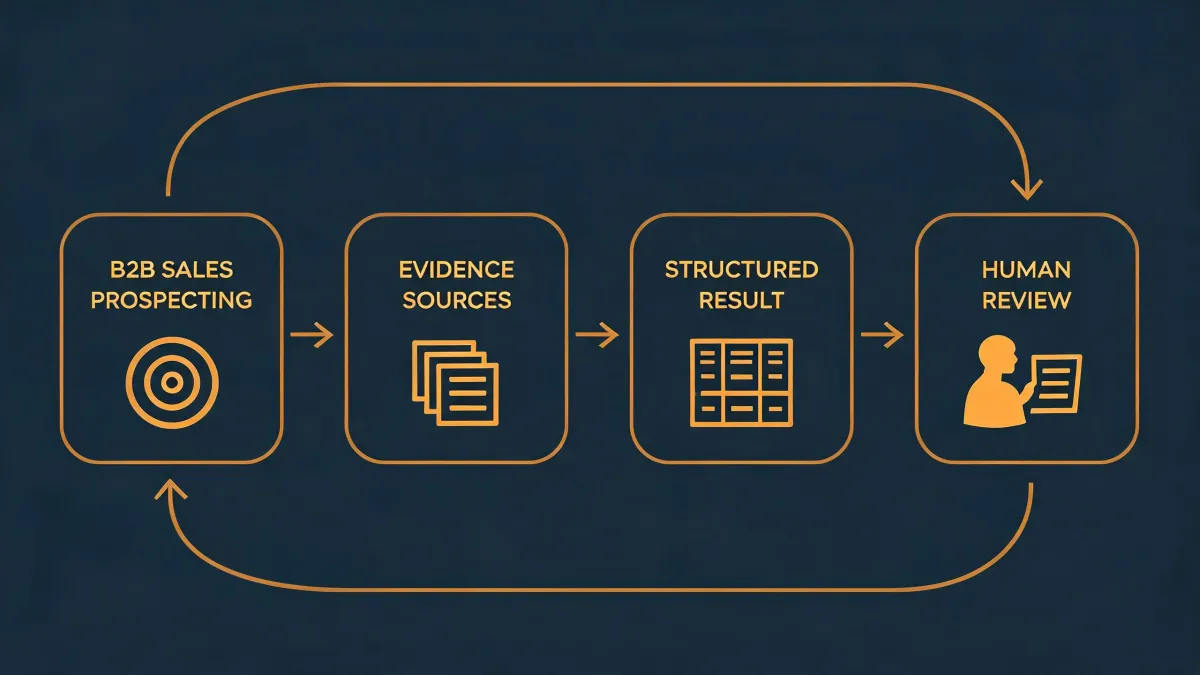
I've been running B2B outbound for 4 years. I've personally made (and documented) 7 significant mistakes in that time, totaling roughly $18,400 in wasted tooling and burned sending domains. Now I keep a checklist. Because most of those mistakes had nothing to do with the tools — they had to do with bolting firmographic filtering into a workflow that wasn't built for it.
Here's the thing about "How does firmographic filtering fit into an agent-native prospecting workflow?": there is no universal answer. I've watched teams happily filter by industry and headcount before any email ever left a queue. I've also watched teams drown in false positives because they filtered too early. The right answer depends on what you already have running.
So let me split this into three setups I've actually seen — and been in — and tell you what I'd do differently in each.
The Three Setups I Keep Running Into
Before I get into specifics, here's the distinction I use:
- Setup A — Cold start. You're standing up your first prospecting workflow. No clean list, no CRM, no established sending infra.
- Setup B — Dirty data. You have a list. It's big. It's also full of bounces, role accounts, and contacts who haven't worked at the company since 2023.
- Setup C — Running pipeline, weak signal. You're already sending. You have verified addresses. Your problem is that reply rates are flat because the wrong people are getting the emails.
I'll be honest — I stayed in Setup B way too long. I thought "more data equals more pipeline." It doesn't.
Setup A: Cold Start — Filter Late, Not Early
When I first started building agent-native prospecting workflows, I assumed the smart move was to lock in firmographic targets before pulling any contacts. Define the ICP tightly. Then go get the leads. That felt efficient.
Three months later, I realized I'd filtered out roughly 40% of my eventual best-fit accounts because I got the firmographic criteria wrong on the first pass.
In a cold-start setup, the move is the opposite of what most blog posts tell you. Pull a wide net of contacts first. Let the agent run its enrichment and validation waterfall. Then layer firmographic filtering on top of the enriched dataset.
This is where an agent-native workflow actually earns its keep. The agent can hold multiple enrichment sources in memory — intent data, headcount changes, technographic signals — and apply firmographic logic after the fact. Manual tools force you to commit to filters up front. That's the wrong sequence.
For email validation, a valid email validation API should run before you ever touch firmographic logic. There's no point filtering a contact by revenue band if the address bounces.
Concrete recommendation for Setup A:
- Pull wide (industry-adjacent, size-adjacent).
- Run email validation and enrichment.
- Apply firmographic filters as a post-processing step inside your workflow.
- Only then let the agent draft outreach.
Setup B: Dirty Data — Filtering Won't Save You
This is where I lost the most money.
In Q2 2023, we had a list of about 14,000 contacts we'd scraped together from three different sources. I pushed it straight into a filtered campaign and hit send. Bounce rate was 22%. We burned two sending domains in eleven days. Cost roughly $3,200 in re-provisioning plus a two-week sending pause.
Here's the lesson: firmographic filtering on top of unverified data is a waste of time. You're sorting garbage by size.
In this setup, the priority order flips again. Your first job is not filtering. It's cleaning:
- Run every contact through an email validation API. Not a simple syntax checker — one that does SMTP handshake and catch-all detection.
- Waterfall enrichment against multiple data sources. One vendor's "current company" is another vendor's "company from 18 months ago."
- Only then apply firmographic filters.
Waterfall enrichment plus intent signal matters here because firmographic filters need a reliable field to filter on. If "company size" is populated from a bad source, your filter is worse than useless — it's actively misleading.
I get why people skip this step. Cleaning feels like overhead. It isn't. It's the actual product.
Setup C: Running Pipeline — Filter on Behavior, Not Attributes
This is the one that surprised me. I used to think firmographic filtering meant "industry + headcount + revenue." Pick three ranges, done.
But once your pipeline is actually running and you have verified contacts flowing through an agent, the highest-leverage firmographic filter isn't a static attribute. It's a behavioral one. Which accounts are showing intent signals right now? Which ones just had a headcount change in the sales org? Which ones just published something on their site about a problem you solve?
The old "filter by SIC code" advice comes from an era when we didn't have access to real-time intent data. That's changed. In an agent-native workflow — where the agent can continuously re-evaluate and re-rank — static firmographic filters are almost a legacy artifact.
I'm not saying drop them. I'm saying: in Setup C, firmographic filtering is a secondary layer. The primary layer is behavioral. Firmographic cuts the universe down to plausible. Behavioral tells the agent who to message today.
What that looks like in practice:
- Firmographic filter: run once at import, use loose boundaries.
- Intent signal layer: refreshed daily.
- Agent drafts outreach based on the intersection, with human-in-the-loop review on the first 50 sends of any new segment.
That last point isn't optional. I've seen well-built agents confidently draft brilliant emails to entirely wrong contacts because nobody reviewed the first cohort.
How to Tell Which Setup You're Actually In
Ask yourself these three questions. Whichever one you answer "yes" to first is your setup.
- Can you name the company and current title of 90%+ of your contact list without checking? If no, you're in Setup A or B.
- Have you run your last list through a validation API in the past 30 days? If no, you're in Setup B — regardless of how big your list is.
- Are you getting replies, just from the wrong people? If yes, you're in Setup C.
One caveat: most teams I've worked with are in two setups at once. That's fine. Just don't apply Setup C logic (behavioral filters, loose firmographic boundaries) to a Setup B dataset. That's how you burn domains.
Look, none of this is magic. It's sequencing. Firmographic filtering is powerful, but only when it sits in the right slot in the pipeline. Get the sequence wrong and you'll spend your budget cleaning up a mess you could have avoided with one extra step.
I learned that the expensive way. Hopefully you don't have to.