-
What does Okki Go actually do?
-
What permissions does Okki Go require?
-
How does Okki Go outbound research actually work?
-
What is API data enrichment?
-
How does waterfall enrichment fit into an agent-native prospecting workflow?
-
What can data enrichment AI do for RevOps — and what can't it?
-
What does a permissions audit actually miss?
-
What do I ask before signing?
I manage SaaS purchasing for a 220-person software company — roughly $340K a year across 20-plus vendors, reporting into both operations and finance. Our sales ops team brought Okki Go to me in Q4 2024 asking for approval. My job wasn't to decide whether it would move pipeline. My job was to figure out what it wanted access to, how it got that access, and whether I could remove it cleanly if we ever needed to.
Those are also the questions everyone else seems to be asking, so here they are in one place.
- What does Okki Go actually do?
- What permissions does Okki Go require?
- How does Okki Go outbound research work?
- What is API data enrichment?
- How does waterfall enrichment fit into an agent-native prospecting workflow?
- What can data enrichment AI do for RevOps — and what can't it?
- What does a permissions audit actually miss?
- What do I ask before signing?
What does Okki Go actually do?
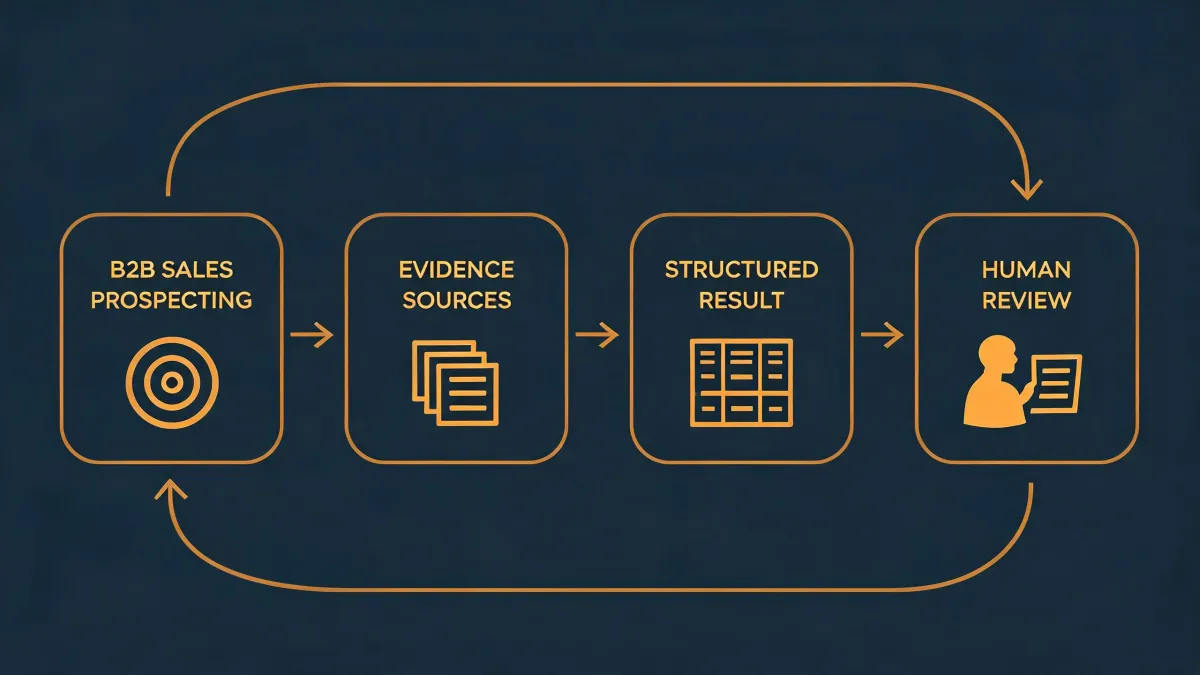
It's an agent-native prospecting tool. Translated into procurement language: it does the research and list-building work that an SDR team used to stitch together by hand — finding people from signals, filling in missing fields, and triggering outreach. It isn't a CRM and it isn't a data warehouse.
That matters for vendor risk. To do any of that, it has to look inside things you own. So the interesting questions all live in the access layer, not the feature list.
What permissions does Okki Go require?
Three buckets matter, and they get blurred together constantly.
Email access. "Send" and "read" are separate scopes. Some tools only ask to send; others want the whole mailbox. The gap between them is way bigger than most people assume, and it decides what a vendor can and can't see on any given day.
CRM access. Ask specifically whether it's read-only or read-write, and whether contact-level PII is in scope. Write access is reasonable for a prospecting tool — it just needs to be a named decision instead of a default.
Workspace-level admin consent. This is the one most teams miss, because an admin grants it once, at the tenant level, and nobody reads the screen. One click affects the entire organization.
Don't take screenshots as proof. Walk the OAuth consent flow yourself during the trial, capture the scopes as text, then make the vendor confirm in writing which scopes are required and which are optional. If they won't put it in an email, that's already an answer.
How does Okki Go outbound research actually work?
Old-school outbound research — I've bought those tools — was a LinkedIn title pasted into a spreadsheet and a prayer. This generation works off signals: hiring posts, funding announcements, tech stack changes, role changes. Then it decides whether this person is worth contacting today.
The question to ask in procurement is whether it goes out and researches or reads from a database. If it reads from a database, who maintains that database and how often is it refreshed? Being accurate on the day you look at it is fine. Being accurate six months later is the actual product.
My second question is more practical: when a signal is wrong, who eats the cost? Does the tool absorb it, or does an SDR burn an hour on a dead account? That's the real difference between an agent that gets feedback while it works and a static CSV file rotting in a shared drive.
What is API data enrichment?
Enrichment means adding missing fields to a record you already own. You have a lead, a company name, maybe an email. What's missing is whether the domain is still active, what they run on, roughly what their headcount is, and whether your contact still holds that job.
The "API" part just means it happens through an interface rather than someone dragging a CSV in every Tuesday morning.
Why should a buyer care? Because API calls are metered, auditable, and explainable to finance. A fraction of a cent per enriched record sounds like nothing — right up until you're making a few million calls a month and it shows up in the budget line. Look for usage caps, overage pricing, and whether you can set a hard ceiling. An enrichment tool without spend limits is a corporate card with no limit on it.
How does waterfall enrichment fit into an agent-native prospecting workflow?
Waterfall means querying multiple sources in sequence: check vendor A first, fall through to B if A comes back empty, then C. The concept isn't new. What's new is that it used to be semi-manual — someone running VLOOKUPs between two exports.
In an agent-native workflow, the agent runs the waterfall. It tries A, doesn't find the field, moves to B, records which source actually produced the value, and moves on. Nobody watches it. Nobody exports anything weekly.
The procurement consequence is the interesting part: coverage stops being a marketing number and starts being auditable source by source. You can finally see what you're paying each data vendor and whether the fallback is earning its keep.
Five years ago the only question was "which data vendor is best." Now you're asking three things at once — who runs first, who catches the miss, and who bills you for the catch. The answers usually aren't the same company. That's why waterfall enrichment and intent data show up in the same buying conversation; together they change where the money goes.
What can data enrichment AI do for RevOps — and what can't it?
What it can do: fill in firmographics and tech stack, flag hiring signals, score records, prioritize accounts for SDRs, and draft a first line of outreach.
What it can't do: manufacture buying intent, or guarantee your email reaches an inbox. That distinction gets buried in demos, because nobody productizes the second half. No vendor puts a bounce-rate slide in the deck.
Worth bookmarking on the compliance side:
- US: CAN-SPAM. The FTC adjusts civil penalties for inflation — as of its January 2024 update the per-email maximum sat at $53,088. That figure gets recalculated periodically, so confirm the current table at ftc.gov before you quote it internally.
- EU and UK: GDPR. B2B outreach needs a lawful basis. Legitimate interest is the common route, but it has to be documented in advance rather than written up afterward as a page of retroactive justification.
- Email authentication: SPF (RFC 7208, April 2014), DKIM (RFC 6376, September 2011), DMARC (RFC 7489, March 2015). Google and Yahoo bulk sender requirements took effect February 2024 for mailboxes sending over 5,000 messages a day.
- LinkedIn: scraping violates their user agreement. If a tool touches LinkedIn data, make that an explicit question with an explicit answer.
What does a permissions audit actually miss?
Everyone told me to audit scopes and never trust a vendor's summary. I only believed it after ignoring the advice and getting burned.
Our first enrichment tool handed us a scope document that said read-only. Maybe it was. But nobody verified it — and the token sat on the account of a sales rep who'd left the company, on a password that hadn't rotated in two years. We found it during a quarterly access review, eleven months later.
Nobody got breached. That was luck, not process.
The lesson isn't "OAuth is scary." The lesson is that an annual permissions review won't save you. What saves you is a deprovisioning path — when a person leaves, their tokens leave with them. If your offboarding is faster than your tool cleanup, you will lose track of something eventually. We didn't have a formal token review process at all until that mess. The third time we found a stale grant, I finally built one. Should have done it the first time.
That's why least-privilege language belongs in the vendor requirements, not just the security questionnaire. You're not buying safety. You're buying the ability to find out when it goes wrong.
What do I ask before signing?
Seven questions, sent by email, answered in writing:
- List every OAuth scope, and the reason each one is needed.
- Which scopes are optional? Can we tighten them?
- How long is enriched data retained, and who can delete it?
- If we offboard, can we export the enrichment output we paid for?
- What are our API rate limits and our billing ceiling?
- Do you use sub-processors? List them, don't link to them.
- When a departing employee is removed from our identity provider, do their tokens die automatically?
A slow answer isn't a rejection. It's a signal. And a straight "we don't do that yet, but we can scope it" beats a polished PDF full of answers that don't survive contact with your actual environment.
Bottom line: tools that plug into agent-native prospecting and waterfall enrichment aren't one-off purchases. Judge them the way you'd judge anything that sits inside your identity layer — because that's where they live.